
Starting an online store in Kenya can help you sell products to customers beyond your local area. You can start with a small product range, promote your business online, and expand as you learn what your customers need. However, success requires more than creating a website. You also need the right products, reliable suppliers, convenient payment methods, delivery arrangements, and a plan for attracting customers.
This guide explains how to start an online store in Kenya step by step. You will learn how to choose products, select an e-commerce platform, set up M-Pesa payments, organize deliveries, market your store, and manage orders. Whether you are a beginner, an existing shop owner, or an entrepreneur planning to sell online, these steps will help you build a practical starting point.
What Is an Online Store?
An online store is a website where customers can browse products, view prices, place orders, and pay for their purchases. Depending on how the store is configured, customers can also create accounts, track orders, and receive order updates.
For example, a business in Kitengela could sell clothes, electronics, beauty products, furniture, or household items through a website. Customers in Nairobi, Nakuru, Mombasa, and other areas could browse the products without visiting the physical shop.
An online store can operate alongside a physical business or serve as your main sales channel.
There are several ways to sell online:
- Your own e-commerce website: You control the website, product pages, branding, and store structure.
- Online marketplaces: You list products on an established marketplace that connects sellers with customers.
- Social media: You promote products through platforms such as Facebook, Instagram, TikTok, or WhatsApp.
- A combination of channels: You use social media and marketplaces to attract customers while your website serves as the main shopping platform.
For many businesses, combining these channels can be useful. Social media helps people discover your products, while your website provides a central place to browse the full catalogue and place orders.
Step 1: Choose the Right Products to Sell
Before building your website, decide what you want to sell. Your product choice affects your startup expenses, suppliers, delivery arrangements, profit margins, and marketing strategy.
You do not need to sell hundreds of products when starting. A focused catalogue can make it easier to understand your customers and manage stock.
Research products with potential customers
Start by identifying products that people need and that you can supply reliably. Consider the following categories:
- Clothing, shoes, and fashion accessories.
- Phones, computers, and electronic accessories.
- Beauty and personal-care products.
- Home appliances and household goods.
- Furniture and home décor.
- Baby products and children’s items.
- Office supplies and business equipment.
These are examples, not guarantees of demand or profitability. Research the specific products and customers you intend to target before investing money.
How to evaluate a product idea
Ask yourself these questions:
- Who is likely to buy this product?
- What problem does it solve, or what need does it meet?
- Where will I source it?
- How much will it cost to purchase and deliver?
- Are similar products already available online?
- Can I explain why customers should buy from my store?
- Can I handle returns, damaged items, and customer complaints?
You can research competitors by checking their product descriptions, prices, delivery information, customer reviews, and social media pages. Look for ways to provide a better experience without competing on price alone.
Calculate your profit margin
Before listing a product, estimate its full cost. Consider the purchase price, packaging, payment-processing charges, delivery subsidies, advertising, and other expenses that apply to your business.
For example, suppose you buy an item for KSh 800 and sell it for KSh 1,200. The difference is KSh 400 before other expenses. If packaging and advertising cost KSh 100 per sale, only KSh 300 remains before any other applicable costs.
This is why sales revenue should not be confused with profit.
Start with a small selection of products, measure customer interest, and expand the catalogue when you have evidence that the products are selling.
Step 2: Decide How You Will Source and Sell Products
After choosing your products, decide how you will obtain them and fulfil customer orders. Your business model affects how much money you need, how quickly you can deliver, and how much control you have over product quality.
Option 1: Buy stock and sell it
You purchase products from wholesalers, distributors, or manufacturers and keep them ready for sale.
Advantages:
- You can inspect products before selling them.
- You have more control over packaging and dispatch.
- You can often deliver stocked products faster.
Challenges:
- You need money to purchase inventory.
- Unsold products can tie up your capital.
- You must monitor stock levels and storage.
This model may suit businesses selling electronics, clothing, household items, and other products with predictable demand.
Option 2: Sell products on order
You advertise products and purchase them from a supplier when a customer places an order. This can reduce the amount of money tied up in stock.
However, you need a dependable supplier, accurate stock information, and clear delivery timelines. If a supplier runs out of stock after a customer pays, you may face delays or refund requests.
Option 3: Use a dropshipping model
With dropshipping, a supplier stores and ships products directly to your customers. You focus on marketing, receiving orders, and customer service.
This reduces the need to store inventory yourself, but it does not eliminate business costs or risks. You must still check supplier reliability, delivery times, product quality, and return arrangements.
Which model should a beginner choose?
Choose the model that fits your available capital, products, and ability to manage orders. If you are unsure about demand, test a small product range before committing a large amount of money.
Whatever model you choose, agree on supplier prices, stock availability, dispatch times, and how defective products will be handled.
Step 3: Choose the Right Platform for Your Online Store
Your e-commerce platform is the system you use to display products, receive orders, process payments, and manage your store.
The best option depends on your budget, technical skills, business goals, and the features you need.

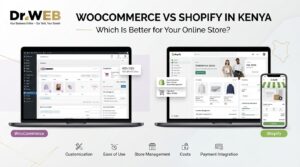
1. WordPress and WooCommerce
WooCommerce adds online shopping features to a WordPress website. It supports product catalogues, shopping carts, checkout, inventory management, and integrations with suitable payment providers.
It is worth considering if you want control over your website and the flexibility to customize it as your business grows.

2. Shopify
Shopify is a hosted e-commerce platform. It provides store-building and management tools within a managed service.
It may suit entrepreneurs who prefer a platform with hosting and core store infrastructure managed for them. Review subscription charges, payment options available in Kenya, and any additional fees before choosing it.

3. Social media and WhatsApp Business
You can begin by displaying products on social media and handling enquiries or orders through WhatsApp Business.
This approach can help you test demand before investing in a full website. However, manual order handling becomes harder as your catalogue and customer base grow.
WooCommerce vs Shopify vs social media
| Feature | WooCommerce | Shopify | Social media |
|---|---|---|---|
| Setup | Requires WordPress and hosting | Hosted platform | Relatively simple |
| Customization | Extensive | Depends on plan, theme, and apps | Limited storefront control |
| Ongoing costs | Hosting, domain, extensions, and maintenance as needed | Subscription and possible extra fees | Platform and marketing costs as applicable |
| Order management | Built-in e-commerce tools | Built-in e-commerce tools | Often more manual |
| Best suited for | Businesses wanting website control | Businesses wanting a managed store platform | Testing demand and starting simply |
Actual costs depend on your setup, provider, integrations, and business requirements.
For a detailed discussion of store development, read Ecommerce Website Development in Kenya: A Complete Guide for Businesses if this URL matches the published article on your site.
Why consider WooCommerce for a Kenyan online store?
WooCommerce is a useful option if you want to build your store using WordPress. You can organize products into categories, manage orders, and add supported payment and delivery integrations.
For example, a clothing store can create separate categories for men’s clothing, women’s clothing, shoes, and accessories. Customers can then browse the catalogue and add products to their shopping carts.
Before choosing WooCommerce, account for hosting, domain registration, website security, backups, updates, and the cost of any paid extensions or professional assistance you need.
Step 4: Register Your Business and Understand Your Tax Obligations
Before accepting orders, consider the legal and administrative requirements that apply to your business in Kenya.
Business registration
Depending on your business structure and circumstances, you may need to register a business name or entity through the relevant official channels. You should also check whether your products or activities require specific permits or licences.
Use the official Business Registration Service to review registration information and procedures.
Your business name should be easy to recognize and suitable for your website, packaging, and social media profiles. Before committing to a name, check its availability through the appropriate registration and domain-name services.
Tax compliance and eTIMS
Understand your tax obligations before launching. The Kenya Revenue Authority provides information about tax registration, returns, electronic invoicing, and other compliance requirements.
KRA states that persons carrying on business are generally required to onboard eTIMS, subject to the applicable rules and arrangements. The correct solution and obligations depend on your circumstances.
Read the official KRA eTIMS onboarding guide and seek professional tax advice if you are unsure how the rules apply to your business.
Do not assume that selling through social media or operating a small online shop automatically exempts you from applicable tax obligations.
Create clear store policies
Your website should explain the terms under which you sell and deliver products.
Prepare clear information covering:
- Returns, exchanges, and refunds.
- Delivery charges and estimated delivery times.
- Payment methods and order confirmation.
- Customer complaints and support.
- How you collect and use customer information.
Make these policies easy to find before checkout. Clear policies help customers understand what to expect and help you handle disputes consistently.
Step 5: Get a Domain Name and Reliable Web Hosting
If you decide to build your own website, you will need a domain name and hosting.
A domain name is your website’s address, such as yourstore.co.ke. Web hosting stores the website’s files and makes them available online.
Choose a domain that is short, memorable, and relevant to your business. A Kenyan domain can communicate local relevance, while other domain extensions may also suit your brand.
When choosing hosting, consider:
- Website performance and reliability.
- SSL support for encrypted connections.
- Regular backups and restoration options.
- Security features and software compatibility.
- Technical support.
- Enough resources for your expected traffic and catalogue.
A low-cost hosting package may be sufficient for a small store at first, but check its resource limits and upgrade options.
Your website should also use HTTPS. This helps protect information exchanged between the customer’s browser and your website, although HTTPS alone does not make every part of a store secure.
Step 6: Build Your Store and Add Products
Once you have selected your platform, domain, and hosting, organize your website so customers can find products and complete purchases easily.
Essential pages for an online store
Your store should normally include:
- Home page: Introduces your business and highlights key products.
- Shop page: Displays your product catalogue.
- Product pages: Explain each product’s features, price, and availability.
- About page: Tells customers who you are and what your business offers.
- Contact page: Provides ways to reach your business.
- Delivery information: Explains shipping areas, charges, and expected timelines.
- Returns and refunds: Explains your applicable policies.
- Privacy policy and terms: Describes relevant information-handling practices and store conditions.
You may also need a shopping cart, checkout page, customer account features, and an order confirmation process.
Write useful product descriptions
Each product listing should help customers decide whether the item meets their needs.
Include:
- A clear product name.
- Accurate product photographs.
- A useful description.
- Price and stock availability.
- Size, colour, dimensions, or other relevant specifications.
- Warranty details, where applicable.
- Delivery and return information relevant to that product.
Avoid copying supplier descriptions without checking them for accuracy. Original, specific descriptions can make your store more helpful and distinguish it from competing listings.
Optimize the website for mobile devices
Many potential customers may browse your store on a smartphone. Therefore, test the website on mobile screens as well as desktop computers.
Check that product images load properly, text is readable, menus are easy to use, and checkout fields work correctly. Keep the buying process simple and remove unnecessary steps.
Also, compress images appropriately and avoid installing unnecessary plugins or apps that could slow down your website.
Step 7: Set Up M-Pesa and Other Payment Methods
Payment convenience is an important consideration when starting an online store in Kenya.
M-Pesa can provide a familiar way for customers to pay. Depending on your target audience and business model, you may also want to offer card payments, bank transfers, or other supported options.
How to accept M-Pesa payments online
You have several possible approaches:
- Manual M-Pesa payments: Customers pay using instructions you provide, then submit payment details for confirmation. This can work for a small operation but requires careful manual verification.
- An integrated payment gateway: A supported provider connects your website to an online payment service and may automate parts of payment confirmation.
- An eligible M-Pesa business integration: A suitable Daraja or other approved integration can connect payment functionality to your website, depending on your business setup and technical requirements.
For an automated setup, check provider eligibility, account requirements, transaction charges, supported payment flows, and integration instructions before choosing a solution.
Never treat a screenshot or customer message as conclusive proof of payment. Verify transactions through the appropriate business account or payment system before dispatching goods.
For a deeper explanation, read M-Pesa Ecommerce Integration in Kenya: How to Accept M-Pesa Payments Online if the published URL is confirmed.
Test checkout before launching
Place test orders and check that:
- Customers can select products and quantities.
- Delivery charges are calculated correctly.
- Payment instructions are clear.
- Successful payments are recorded correctly.
- Failed or cancelled payments do not appear as completed orders.
- Customers receive appropriate order confirmations.
A functioning checkout reduces confusion and helps you identify problems before real customers encounter them.
Step 8: Plan Delivery and Order Fulfilment
Customers need to know when and how they will receive their purchases. Plan your delivery process before launching your store.
Choose your delivery method
Depending on your products and service area, you could use:
- Your own delivery arrangement for nearby customers.
- Local riders or courier services.
- Parcel delivery services for customers in other towns.
- Customer collection from an agreed location, where appropriate.
Compare delivery charges, coverage, reliability, parcel handling, and tracking options before choosing a provider.
Set clear delivery expectations
Your website should explain where you deliver, how much delivery costs, and how customers receive updates. Avoid promising same-day or next-day delivery unless your operations can reliably support it.
For fragile or valuable products, consider appropriate packaging, proof of delivery, and procedures for damaged or missing parcels.
Create a simple order process
A consistent process makes daily operations easier.
1. Receive the order
Record the products, quantities, delivery details, and customer contact information.
2. Verify payment and stock
Confirm the transaction through the relevant payment system and ensure the items are available.
3. Prepare the order
Check the items, package them securely, and arrange dispatch or collection.
4. Deliver and follow up
Update the customer, record delivery status, and handle any issues promptly.
Keep records of orders, payments, stock changes, delivery expenses, refunds, and customer complaints. These records will help you identify operational problems and calculate profitability.
Step 9: Calculate Your Startup Costs and Budget
Your startup budget depends on the products you sell, your business model, and the tools you choose. A store that begins with a few products and manual order handling will have different costs from a fully customized website with automated payments and delivery integrations.
Expenses to plan for
| Expense | What to consider |
|---|---|
| Initial stock | Supplier prices and minimum order quantities |
| Business registration | Applicable registration charges |
| Domain and hosting | Registration, hosting, email, and renewals |
| Website development | DIY setup, professional design, and customization |
| Payment processing | Transaction fees and any integration charges |
| Packaging | Bags, boxes, labels, and protective materials |
| Delivery | Courier charges and any delivery subsidies |
| Marketing | Content creation, advertising, and promotions |
| Maintenance | Backups, updates, security, and technical support |
| Working capital | Money for restocking, refunds, and daily operations |
Not every business will need every item. For example, a seller who already has stock and builds the website independently may spend less on initial setup than someone who hires a developer and purchases a large inventory.
For a detailed breakdown of website-related expenses, see Ecommerce Website Cost in Kenya: How Much Does an Online Store Cost in 2026? if the URL matches the published article.
Start with a realistic budget
Before spending money, prepare a simple budget with three sections:
- One-time expenses: Initial stock, setup, and other launch costs.
- Recurring expenses: Hosting, subscriptions, marketing, and other ongoing costs.
- Variable expenses: Packaging, payment fees, delivery, and costs linked to individual orders.
Keep some working capital available after launch. You may need to restock popular products, replace damaged items, or cover operating costs while sales are still developing.
Step 10: Market Your Online Store
Launching your website does not automatically bring customers. You need to help people discover your products and give them reasons to trust your business.
1. Use social media marketing
Create business profiles on the platforms your potential customers use. Share useful product information, clear photographs, demonstrations, promotions, and answers to common questions.
For example, a furniture store could publish room setup ideas and short videos showing product dimensions. A clothing store could show different ways to style an item.
Include a clear link to your website so interested customers can browse products and place orders.
2. Optimize your store for Google
Search engine optimization (SEO) helps search engines understand your pages and can improve their visibility for relevant searches.
For an online store, focus on:
- Descriptive product titles and URLs.
- Original product descriptions.
- Clear category pages.
- Useful image alt text.
- Fast loading and mobile-friendly design.
- Internal links between related products and categories.
- Helpful articles that answer customer questions.
For example, a store selling office furniture could publish a guide on choosing office chairs. That article could link to relevant products in the store.
SEO takes time and does not guarantee specific rankings. However, useful content and a well-organized website give search engines and customers clearer information about your products.
3. Use paid advertising carefully
You can test advertising through platforms such as Meta Ads or Google Ads, depending on where your customers search and browse.
Start with a defined budget and a clear goal. You might want to generate website visits, receive product enquiries, or encourage completed purchases.
Track how much you spend, how many orders you receive, and how much profit remains after product and fulfilment costs. Do not judge an advertising campaign by clicks alone.
4. Build customer trust
Online customers may hesitate when buying from a store they have never used. Make your business easier to verify and contact.
Provide accurate product details, clear prices, realistic delivery estimates, accessible contact information, and transparent return policies.
Respond promptly to enquiries. After a successful delivery, you can invite customers to leave honest feedback. Never publish fabricated reviews or promise outcomes you cannot guarantee.
5. Encourage repeat purchases
Existing customers may buy again when they have a good experience. Keep customers informed about relevant new products, restocks, or promotions, provided your communications respect their preferences and applicable requirements.
You can also use customer feedback to improve product descriptions, packaging, delivery, and support.
For broader ideas, see How to Build and Grow a Successful Online Business in Kenya.
Step 11: Manage Your Store After Launch
Once your online store starts receiving orders, establish routines for daily operations and ongoing improvements.
Monitor stock and orders
Update inventory when products are sold, received, returned, or damaged. If a product is unavailable, update its status or remove it from sale until it can be supplied again.
Check new orders regularly and communicate delays before they become customer complaints.
Maintain website security
Keep WordPress, WooCommerce, themes, and plugins updated. Use strong passwords, restrict unnecessary account access, and maintain backups that you can restore if something goes wrong.
Install extensions only when they serve a clear purpose, and test important store functions after major updates.
Measure performance
Review your store’s performance using practical indicators such as:
- Number of visitors.
- Number of orders completed.
- Average order value.
- Product profit margins.
- Delivery times and failed deliveries.
- Refunds and customer complaints.
- Repeat purchases.
- Marketing expenditure and sales generated.
These figures help you identify which products perform well and where customers may be abandoning purchases.
For example, many visitors but few completed orders may indicate that product information, delivery charges, payment options, or checkout usability needs improvement. Investigate the actual cause before making changes.
For ongoing product uploads, inventory updates, order management, and technical maintenance, you can also explore Dr Web’s WooCommerce store management information.
Common Mistakes to Avoid When Starting an Online Store
Beginners can reduce avoidable problems by planning for common challenges.
1. Buying too much stock too early. Start with a manageable range and test demand before making large purchases.
2. Choosing suppliers without checking reliability. Confirm product quality, stock availability, pricing, and delivery arrangements.
3. Ignoring the total cost of each sale. Account for packaging, delivery, payment charges, advertising, and other expenses when calculating profit.
4. Using unclear product information. Accurate images, specifications, prices, and return terms help customers make informed decisions.
5. Launching without testing payments. Test successful, failed, and cancelled payment scenarios before accepting real orders.
6. Depending on one marketing channel. Build more than one suitable way to reach customers over time, while focusing on the channels that produce meaningful results.
7. Neglecting customer service. Answer questions, communicate delays, and handle complaints professionally.
8. Ignoring compliance and security. Understand your business obligations, publish clear policies, protect customer information, and maintain your website.
Frequently Asked Questions
1. How much money do I need to start an online store in Kenya?
There is no single amount that suits every business. Costs depend on the products, inventory model, website platform, payment setup, delivery arrangements, and marketing budget. Prepare a budget based on your actual requirements and begin with a manageable scope.
2. Can I start an online store without a physical shop?
Yes. You can operate online without a customer-facing retail shop, provided you have a workable arrangement for sourcing, storing or obtaining products, processing orders, and delivering purchases. Your business may still have applicable registration, tax, licensing, and other obligations.
3. Which platform is best for an online store in Kenya?
WooCommerce can suit businesses that want a customizable WordPress store. Shopify may suit those who prefer a hosted platform, while social media can help sellers test demand with a simpler setup. Compare costs, local payment support, customization, and ongoing management before deciding.
4. Can I accept M-Pesa payments on my website?
Yes. You can use a suitable payment provider or eligible M-Pesa integration, depending on your business and technical requirements. Check account eligibility, transaction charges, and the provider’s integration instructions before implementation.
5. How can I deliver products to customers across Kenya?
You can use courier services, parcel delivery providers, local riders, or your own delivery arrangements where suitable. Compare coverage, prices, reliability, tracking, and handling procedures. Publish realistic delivery expectations on your website.
6. How do I attract customers to my new online store?
Use relevant social media content, SEO, useful blog articles, customer referrals, and carefully measured paid advertising. Make your products easy to understand and your business easy to contact. Monitor completed sales and profit, then improve the channels that work best.
Conclusion: Start Small and Build Your Online Store Gradually
Learning how to start an online store in Kenya begins with choosing suitable products, understanding your customers, and selecting a business model you can manage. You then need a suitable platform, clear product listings, convenient payments, dependable delivery, and a practical marketing plan.
You do not need to build a large store immediately. Start with a focused catalogue, test your processes, track your expenses, and use customer feedback to improve the experience. As demand grows, you can add products, automate order handling, and expand your marketing.
If you need help building a professional online store, integrating payments, or managing products and orders, Dr Web provides website development, e-commerce, and WooCommerce store management services. You can also explore Dr Web Classes if you want to develop practical skills in WordPress, e-commerce development, or digital marketing.
The goal is to build a store that is not only online, but also reliable, easy to use, and capable of serving customers effectively.